Secure Folder for iPhone
Keep private photos, videos, and files in a secure folder for iPhone. It locks with its own PIN, and nothing you put in it is uploaded.
- On-device
- No cloud sync, no account

What it is
Secure Folder: Privacy Vault is a private photo vault for iPhone that hides your photos, videos, and files behind Face ID and a PIN. Unlike cloud photo galleries, it has no account and no cloud sync, and it never uploads your files.
What's inside your photo vault.







Disguise the app icon.
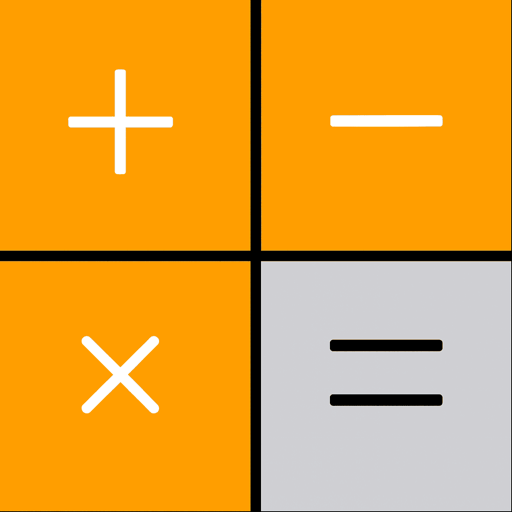
Stealth mode makes the icon look like a calculator, calendar, or weather app. Pick the calculator and the lock screen works as one too, with a gear that opens your PIN pad.
Learn moreA decoy vault to show instead.
You can set a second, fake PIN. If someone makes you open the app, enter that PIN and they get the decoy. Your real vault stays hidden.
Learn moreWrong PIN · Attempt #3
Front camera photo captured silently and saved with the date, time, and attempt number.
See who tried to open your vault.
Starting with the third wrong PIN in a row, Secure Folder quietly takes a photo with the front camera and logs the time. Three is the default, and you can pick anything from 1 to 10.
Learn more- Photos & videosOn device
- Files & notesOn device
- Your PINOn device
- Cloud syncNone
Stored on your iPhone.
The photos, videos, and files you add are saved inside the app, on the phone itself, and the app never uploads them.
Learn moreWe never see your photos.
A study of Apple’s App Store privacy labels on arXiv found 38.1% of apps collect data linked to your identity. There’s no account to create, and nothing in the vault is uploaded.
- Storage
- On your iPhone
- Account
- None required
- Ads & data sale
- Never
- Requires
- iOS 16.6+
- Photos & videosNever uploaded
- Files & documentsNever uploaded
- Your PINNever uploaded
- Intruder photosNever uploaded
Questions and answers
What is Secure Folder: Privacy Vault?
Secure Folder: Privacy Vault is a private photo vault app for iPhone. It stores photos, videos, documents, and notes on your device, with no account and no cloud sync. You lock the vault with a PIN or Face ID, and stealth mode can swap the app icon for a calculator, calendar, or weather icon. The app is free to download on the App Store for iPhones running iOS 16.6 or later. A decoy vault opens with harmless content when you enter a second PIN, and intruder alerts silently photograph whoever keeps entering the wrong PIN.
Does Secure Folder upload my photos to the cloud?
No. The app has no cloud sync, no storage server, and no account, and it never uploads what you put in the vault. The vault works without an internet connection.
Does Secure Folder work offline?
Yes. The vault itself doesn't need a connection. There's no account to sign in to, so unlocking, browsing, and importing photos that are already on the phone all work in airplane mode.
What is the decoy vault?
The decoy vault is a second, separate vault that opens with a different PIN. If someone pressures you to unlock the app, you type the decoy PIN and they see a working vault with only the harmless things you put there. Your real vault stays hidden, and nothing on screen shows that a second one exists.
What happens if someone tries to guess my PIN?
With intruder alerts on and camera access allowed, Secure Folder silently takes a front-camera photo starting with the third wrong PIN in a row and logs the date and time. You can change that number anywhere from 1 to 10. The next time you unlock your vault, the intruder log shows you who tried and when. The photos are saved inside the app.
Is Secure Folder free?
Yes, it's free to download, and the vault, PIN and Face ID lock, stealth icons, and widgets come with the free app. Premium, the optional paid upgrade, adds the decoy vault and intruder alerts.
Does iPhone have a Secure Folder like Samsung's?
Not built in. Samsung's Secure Folder is a Galaxy feature, and iOS has nothing quite like it. iPhone does have the Hidden album in Photos, which needs Face ID or your passcode to open, and since iOS 18 you can lock or hide an app the same way. A vault app like ours adds a separate space with its own PIN for photos, videos, and files.
Isn't the iPhone's Hidden album enough?
For simple tidying, it can be. But the Hidden album stays inside the Photos app, opens with the same Face ID or passcode as the phone, and syncs to your other devices if iCloud Photos is on. Secure Folder: Privacy Vault is a separate app with its own PIN, so unlocking your phone doesn't unlock the vault. The app also has stealth icons, a decoy vault, and intruder alerts.
Importing copies a photo in and leaves the original in Photos, so delete it there afterward or turn on Auto-Delete Originals in the app's settings.
Is Secure Folder: Privacy Vault related to Samsung Secure Folder?
No. Secure Folder: Privacy Vault is an independent iPhone app. It is not affiliated with Samsung Secure Folder or Samsung Electronics.
The features pages go into more detail, and the privacy policy explains how the app handles your data.