Video Vault App for iPhone: Lock and Play Private Videos
A video vault app keeps the videos you choose behind a lock of their own. On iPhone, Secure Folder: Privacy Vault does exactly that: it locks the videos you pick behind its own PIN and plays them inside the app.
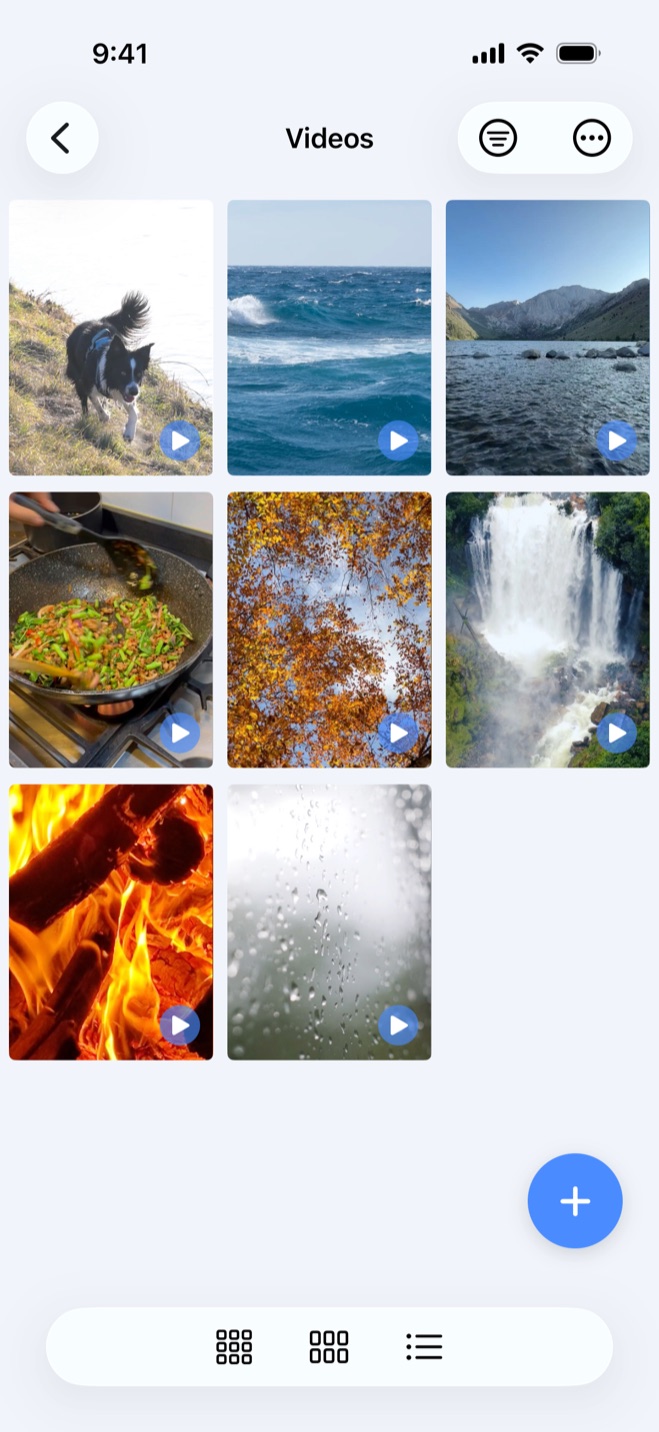
How the video vault works
- 1.
Pick the videos
Choose the videos you want to lock from your library.
- 2.
Import them into a vault folder
Import them into a folder in the vault, for example one called Videos.
- 3.
Unlock the vault to see them
That folder, its videos and their thumbnails appear only after the vault is unlocked.
The vault keeps its own thumbnails, so its previews are stored inside the vault rather than in the camera roll.
Secure Folder is free to download, and the hidden gallery that holds your videos is part of the free app. The same vault can also hold private photos, documents and notes, each in folders you name.
Videos play inside the vault
Tap a video in the vault and it plays full screen in Secure Folder's own player. You never have to send it back to Photos to watch it, which would put it right back where you were trying to keep it out of.
A 6-digit PIN of its own, not your iPhone passcode
The vault opens with its own 6-digit PIN, set up separately from the passcode that unlocks your iPhone. Someone who knows your phone passcode, such as a family member you hand the phone to, can get into the phone without that code opening the vault.
You can also unlock the vault with Face ID or Touch ID. If you pass the phone around often, the vault can be set to lock whenever the app goes to the background, so switching to another app closes it behind you.
How this differs from Apple's Hidden album
The Hidden album is Apple's feature, built into Photos. Apple's support documentation says a hidden video moves to the Hidden album, under Utilities, and stops appearing anywhere else in Photos. Since iOS 16 that album is locked by default and opens with the Face ID or Touch ID you already use for the phone. If you use iCloud Photos, a video hidden on one device is hidden on your other devices too.1
So the Hidden album is a different kind of hiding: the video stays in your Photos library, and the album opens with the iPhone's own authentication. Secure Folder's vault has its own separate 6-digit PIN, so unlocking the phone does not open it. The side-by-side detail is in our Hidden album comparison.
What happens to the original in Photos
Apple's documentation notes that a deleted video stays in the Recently Deleted album for 30 days before Photos removes it for good.2
For other ways to keep videos out of view, such as keeping private videos hidden on iPhone or keeping them out of the Up Next widget and Siri Suggestions, see those walkthroughs.
Does the app upload your videos?
Where vault videos live
- Vault videos are stored on your iPhone, in the app's protected storage. Nothing is uploaded, Secure Folder uses no iCloud, and there is no account or content server behind the vault.
- The developer can't see what's in your vault.
Sources
- 1.Apple Support, “Hide photos on your iPhone, iPad, Mac, or Apple Vision Pro with the Hidden album,” support.apple.com
- 2.Apple Support, “Delete photos on your iPhone or iPad,” support.apple.com