Photo Vault App for iPhone: A Private Gallery With Its Own PIN
A photo vault app keeps the photos and videos you choose in a separate gallery on your iPhone, opened with a PIN or Face ID. Secure Folder: Privacy Vault works this way, needs no account, and stores everything on the phone.
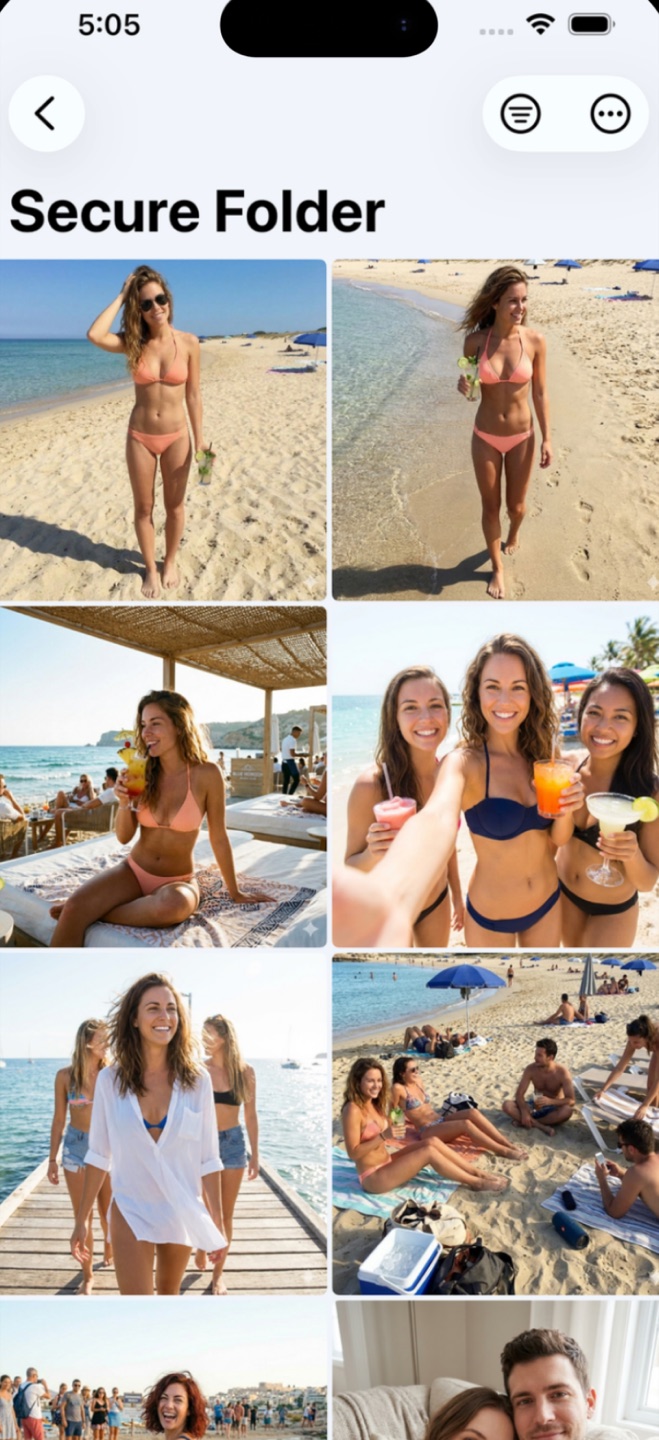
Private photos get a separate gallery
In Secure Folder, the photos and videos you pick go into a separate gallery that opens only after the vault is unlocked. The gallery shows its own thumbnails, and those are stored in the vault, not in the camera roll.
Someone scrolling through Photos, or glancing at your screen while you show a friend a picture, sees only the pictures you left there.
Inside the vault you can sort items into folders, each with its own colour and cover.
Getting photos in, and choosing what happens to the originals
Importing puts a copy of each photo in the vault. You decide whether the original stays in your camera roll, and the app asks you once at the start.
Import photos into the vault
- 1.
Pick the photos to import
Open the vault, choose the import option and select the photos you want to keep private.
- 2.
Answer the one-time prompt
On your first photo import, the app asks "Remove originals after import?" Your answer is saved as the Auto-Delete Originals setting, and you can change it later in Settings.
- 3.
Confirm the deletion in iOS
If you chose to remove originals, iOS asks you to confirm before each deletion.
A photo deleted from the Photos app stays in that app's Recently Deleted album for 30 days unless you empty it there.1
If you change your mind later, Restore to Photos brings items back to your camera roll. Delete Originals (Free Up Space) removes originals you kept after the first import.
Videos work the same way
Videos import the same way photos do and sit in the same gallery.
They play full screen in the app's own player, with sound even when the iPhone is on silent.
If someone knows your phone passcode
Secure Folder has a 6-digit PIN of its own, set at first launch, and your iPhone passcode does not open the vault. That matters when you lend your phone or share it with family or a partner who knows how to unlock it.
Apple's Hidden album takes photos out of the Library, other albums and the Photos widget, and in iOS 16 and later it is locked by default. It still opens with the iPhone's own Face ID, Touch ID or passcode.1,2
To skip typing, switch on Face ID or Touch ID in the Security tab.
No account, and nothing leaves your iPhone
You do not need an account or an e-mail address to use Secure Folder. Nothing is uploaded and the app doesn't use iCloud, so your photos and videos stay on the iPhone.
When you move to a new iPhone, export your items with the share sheet and import them into the vault there.
Sources
- 1.Apple Support, “Delete or hide photos and videos on iPhone (iPhone User Guide),” support.apple.com
- 2.Apple Support, “Hide photos on your iPhone, iPad, Mac, or Apple Vision Pro with the Hidden album,” support.apple.com