App to Hide Photos and Videos on iPhone: One Private Gallery
Secure Folder: Privacy Vault is an app to hide photos and videos together. It copies the ones you pick into one gallery that opens with its own PIN or Face ID, and can remove the originals from Photos for you.
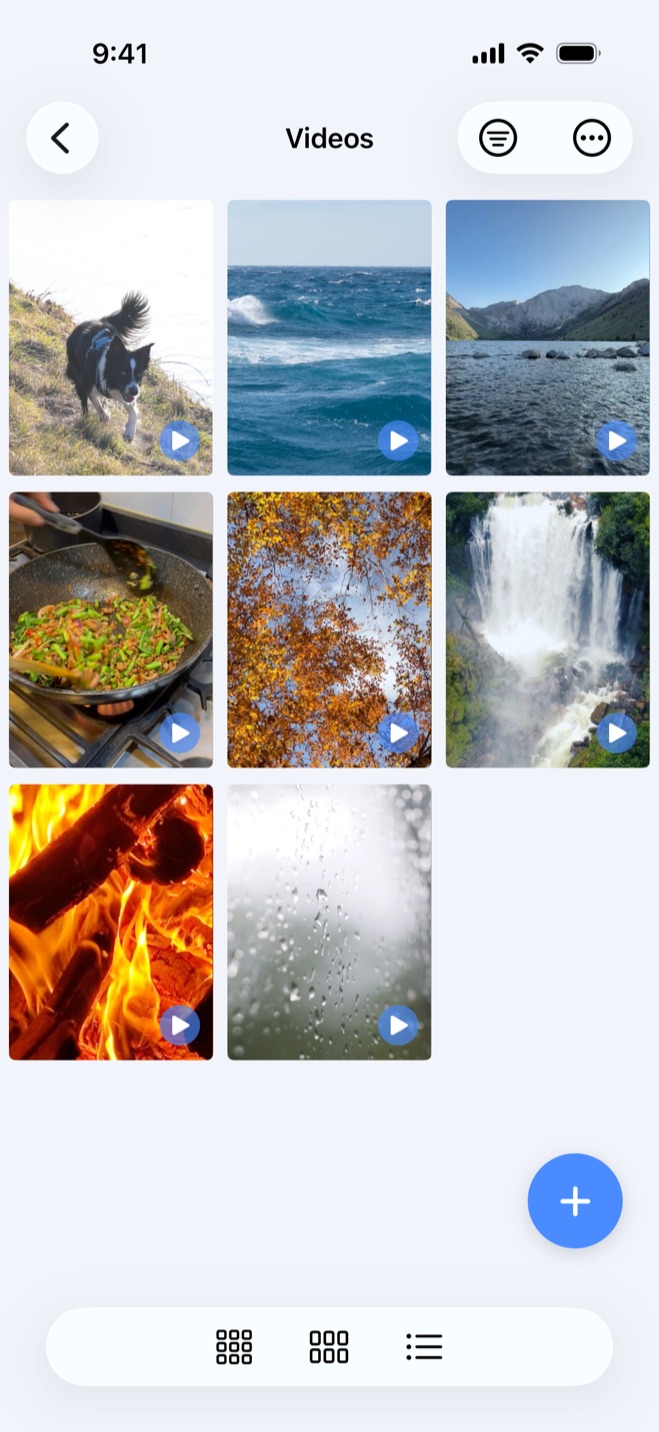
Where hidden photos and videos go
Everything you import lands in a separate gallery inside Secure Folder. The gallery shows its own thumbnails, stored in the vault instead of the camera roll. Once the originals are removed from Photos, anyone scrolling through Photos no longer sees these items.
The gallery opens only after the vault is unlocked. The vault has its own 6-digit PIN, set at first launch and separate from your iPhone passcode, and you can switch on Face ID or Touch ID in the Security tab to open it without typing.
This is different from Apple's Hidden album. The Hidden album keeps items inside the Photos app and unlocks with Face ID, Touch ID or the iPhone passcode. A separate vault takes them out of Photos altogether and gives them a lock of their own.1
Videos are hidden the same way as photos
Import a video as you would a photo and it opens with the PIN you already set. There is no second app to install and no separate video vault to set up.
A hidden video plays full screen in the app's own player, with sound even when the iPhone is on silent. You never have to send a private video back to Photos just to watch it.
What happens to the originals in Photos
Importing puts a copy in the vault. Whether the original leaves Photos is your choice, and the app asks you the first time you import.
How an import works
- 1.
Pick your photos and videos
Tap the ones you want out of your camera roll, photos and videos together.
- 2.
Import them
Secure Folder copies them into the vault, where they appear in the gallery.
- 3.
Answer "Remove originals after import?"
The first photo import asks this once. Say yes to remove the originals from Photos, or no to leave them there.
- 4.
Confirm the iOS prompt
If you chose to remove them, iOS asks for confirmation before each deletion, so nothing leaves Photos without your approval.
Your answer is saved as the Auto-Delete Originals setting, and you can change it any time in Settings. If you kept the originals at first, Delete Originals (Free Up Space) removes them later. If you change your mind about an item, Restore to Photos brings it back.
No account, and nothing is uploaded
Secure Folder needs no account or e-mail. It uploads nothing and uses no iCloud, so your photos and videos stay on your iPhone.
When you move to a new iPhone, export your items with the share sheet and import them there.
Sources
- 1.Apple Support, “Hide photos on your iPhone, iPad, Mac, or Apple Vision Pro with the Hidden album,” support.apple.com
Related: