Guides
How to lock a photo album on iPhone: the Hidden album, or a vault with its own PIN
Mehmet Ali Kısacık · Developer of Secure Folder · · 5 min read
Wondering how to lock a photo album on iPhone? Photos locks only one album, the Hidden album, and it opens with Face ID, Touch ID or your iPhone passcode. You can't lock an album you made, so move its photos to the Hidden album, or move them into a folder in a vault app such as Secure Folder: Privacy Vault, which opens with its own 6-digit PIN.
Hide private photos in a PIN-protected vault.
Secure Folder is free to download on the App Store, and your photos and videos stay on your iPhone.
In this article
Can you put a password on one album in Photos?
No. An album you create in Photos is for viewing and organizing: you can name it, rearrange it, delete it and group it with other albums in a folder. There is no lock, password or Face ID option on an album you made.3
The one album Photos keeps behind a lock is the Hidden album. On iOS 16 and later it is locked by default and asks for Face ID, Touch ID or your passcode before it opens, and Recently Deleted is locked the same way.1,2
So if you have been through an album's menu looking for a switch, you have not missed it. There are two ways to get an album's photos behind a code: hide them, so they move into the Hidden album, or move them out of Photos into an app whose job is to lock them.
How to lock photos in the Hidden album with Face ID or your passcode
Select the album's photos and hide them, because the lock applies to those photos rather than to the album.1
Hide an album's photos behind Face ID or the passcode
- 1.
- 2.
- 3.
- 4.
The photos you hid no longer show in the album you made. They sit in the one Hidden album together with everything else you have ever hidden, and that album opens with the same Face ID or passcode that unlocks your iPhone.1,2
What if someone knows your iPhone passcode?

The Hidden album opens with Face ID, Touch ID or the passcode, and the passcode is the same code you type to wake the phone. A partner who knows it, a family member who shares the phone, or anyone you hand it to for a minute can open Collections, tap Hidden and type a code they already know.2
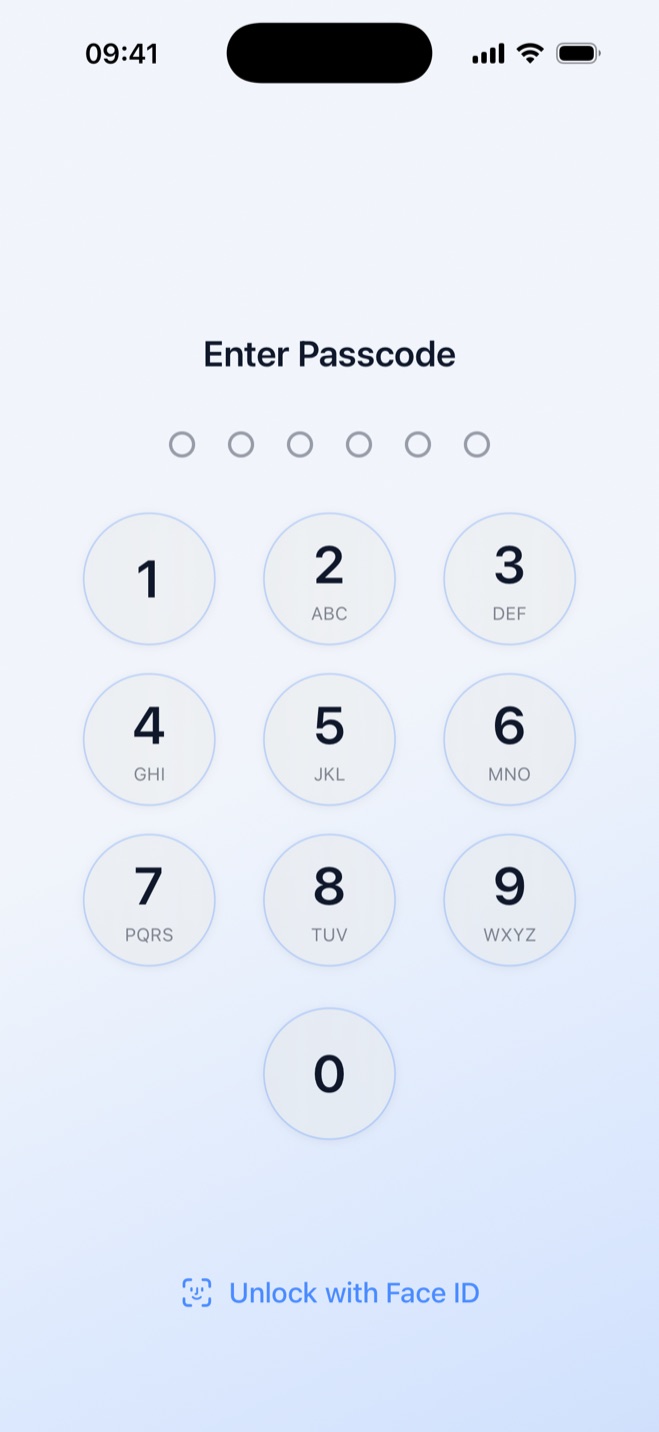
Secure Folder, the app we make, keeps the album behind its own 6-digit PIN, which you set the first time you open the app. Your iPhone passcode does not open it, so someone who unlocks your phone with the code they know still finds the album locked.
You can change the PIN at any time in the app's Security tab, under Change PIN.
Moving the album into the vault
You import the album into Secure Folder, where it becomes a folder. You choose what happens to the originals in Photos.
Move an album into Secure Folder
- 1.
Create a folder in Secure Folder for the album
Name it after the album, so you recognize it when you unlock the vault.
- 2.
Import the album's photos from Photos
Each photo is copied into the vault's own gallery. You look at the copies there, not in the camera roll.
- 3.
Answer "Remove originals after import?"
The first photo import asks this once. Remove them, and the photos leave Photos, with iOS asking you to confirm each deletion. Keep them, and they stay in Photos next to the copy in the vault. The answer is saved as the Auto-Delete Originals setting, which you can change in Secure Folder's Settings.
Neither choice is final: if you kept the originals, you can take them out of Photos later from Secure Folder, and if you removed them, you can put a photo back into Photos from the vault.
If you chose to remove the originals and iCloud Photos is on, that deletion happens on your other devices as well. The vault doesn't use iCloud and uploads nothing, so the photos stay on your iPhone.2
To finish, open Photos' own Recently Deleted and delete the photos there as well. A photo deleted from Photos otherwise waits there for 30 days.2
Opening the locked album with Face ID or the PIN
The vault asks for the PIN before the photos open. Face ID or Touch ID can open the vault instead, and you switch that on in the Security tab. The PIN still works whenever you would rather type it.
Auto-Lock is on by default: whenever you leave the app, the vault locks again and asks for Face ID or the PIN the next time it opens. A blur covers the app in the app switcher, so no thumbnail from the album shows there.
If Face ID or Touch ID is switched on and you forget the vault PIN, you can still open the vault with Face ID or Touch ID, and you can set a new PIN straight away under Change PIN in the Security tab.
Sources
- 1.Apple Support, “Hide photos on your iPhone, iPad, Mac, or Apple Vision Pro with the Hidden album,” support.apple.com
- 2.Apple, iPhone User Guide, “Delete or hide photos and videos on iPhone,” support.apple.com
- 3.Apple, iPhone User Guide, “Create and work with photo albums on iPhone,” support.apple.com