Guides
Share iCloud Storage With Family: Can They See Your Photos?
Mehmet Ali Kısacık · Developer of Secure Folder · July 17, 2026 · 4 min read
Updated September 28, 2026
Share iCloud storage with family, and your relatives do not get access to your personal Photos library just because you use the same iCloud+ plan. Apple says the shared plan gives the family access to storage space and iCloud+ features while each person's photos and documents stay private.
In this article
Sharing iCloud+ does not merge photo libraries
A shared iCloud+ plan gives family members access to the same pool of iCloud storage. Each person's files and personal photo library remain private.1
Family Sharing can also make eligible Apple subscriptions and purchases available across the group, and iCloud+ is one of the services that can be shared.1,2
If your concern is what Apple itself can access, that is a separate privacy question from what family members can see.
The Photos features that really do share pictures
Photo sharing happens through separate Photos features that you choose to use. Shared Albums are for selected photos and videos shared with invited people, while iCloud Shared Photo Library is a collaborative library whose participants can add, edit, and delete shared content.3,4
| Feature | What it shares | Who can see it |
|---|---|---|
| Shared iCloud+ storage | Storage space and iCloud+ features | Family members share the plan, while personal photos stay private |
| Shared Albums | Photos and videos you add to a shared album | People you invite to that album |
| iCloud Shared Photo Library | Photos and videos moved or added to the shared library | The people participating in that shared library |
One detail matters if you use a Shared Photo Library: Apple says that hiding a photo there moves it to the Hidden album for all participants, where they can view or unhide it. That specific case is covered separately in how hidden photos behave inside a Shared Photo Library.5
Check what you are sharing on your iPhone
Check the photo-sharing features on your iPhone
- Shared Albums: In Photos, open Collections and scroll to Shared Albums. Open the albums you use and review what you have added and who you invited.
- Shared Library: In Settings, open Apps > Photos and review any Shared Library you have created or joined, including which photos are in it.
- Shared iCloud+ plan: This gives the family access to shared storage capacity while your personal photo library stays private.1,3,4
If you only share iCloud+ storage and are not putting photos into a Shared Album or Shared Photo Library, the storage plan itself is not exposing your personal Photos library to the family group.1,3,4
Keep selected photos outside Photos and iCloud Photos
Apple's Hidden album still lives inside Photos. When iCloud Photos is in use, hidden items stay hidden on your other devices too, so it is different from moving selected photos into a separate local vault. For the sync details, see how the Hidden album works with iCloud.6
Secure Folder: Privacy Vault gives selected photos a separate place to live outside the Photos app. Importing creates a copy in the vault's hidden gallery, and the original leaves Photos only after it is deleted.
Move selected photos into the vault and remove the originals
- 1.
Import the photos
Choose the photos you want in the vault and import them from Photos. The imported copies appear in the vault's separate gallery.
- 2.
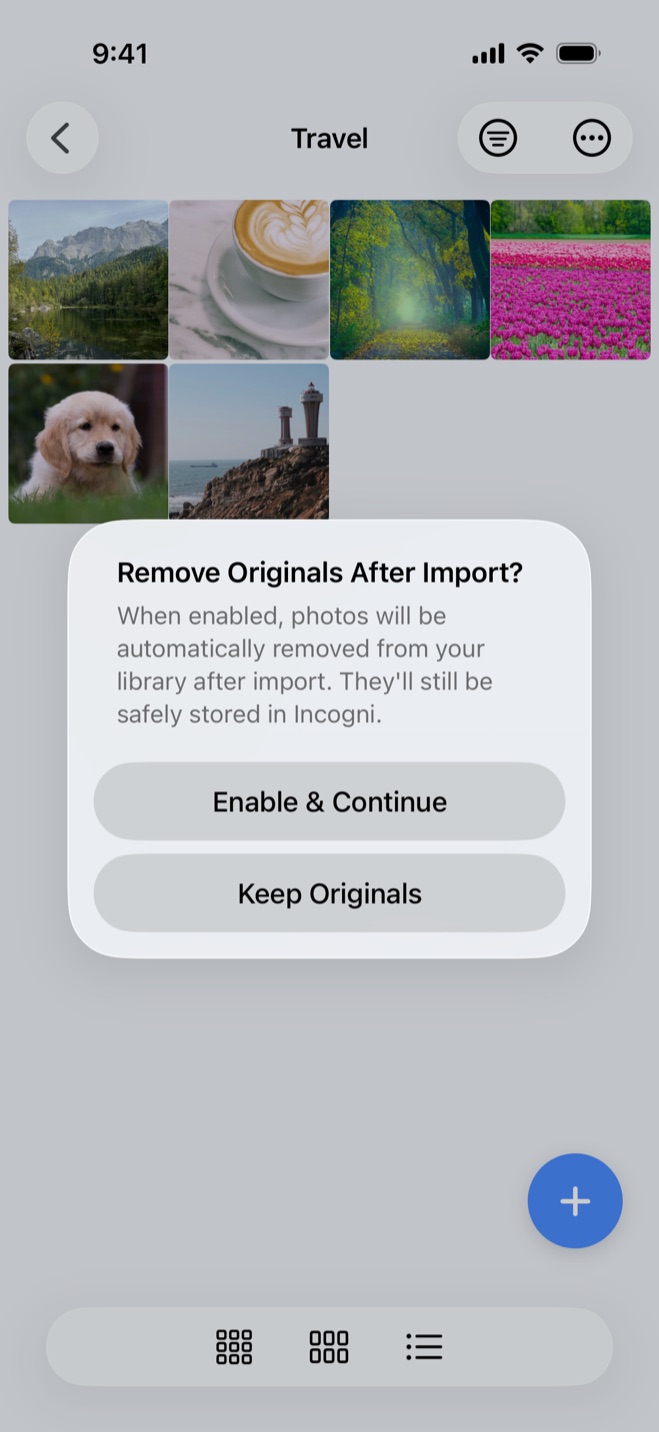
Choose what happens to the originals
On the first photo import, the app asks whether to remove originals after import. Your choice becomes the Auto-Delete Originals setting, which you can change later in Settings.
- 3.
Confirm the deletion in iOS
When originals are deleted, iOS asks you to confirm. Once those originals are out of Photos, they are no longer part of the Photos library that iCloud Photos uploads and keeps updated across your devices.7
The vault is local-only: nothing is uploaded, it uses no iCloud, and it needs no account or email. Photos, videos and files stay on the iPhone in the app's protected storage, giving selected items a separate home from Photos and iCloud Photos.
Hide private photos in a PIN-protected vault.
Secure Folder is free to download on the App Store, and your photos and videos stay on your iPhone.
Sources
- 1.Apple Support, “Share iCloud+ with your Family Sharing group,” support.apple.com
- 2.Apple Support, “How Family Sharing works,” support.apple.com
- 3.Apple Support, “How to use Shared Albums in Photos on your iPhone, iPad, or Apple Vision Pro,” support.apple.com
- 4.Apple Support, “How to use iCloud Shared Photo Library on iPhone or iPad,” support.apple.com
- 5.Apple Support, “Hide your photos and videos on iCloud.com,” support.apple.com
- 6.Apple Support, “Hide photos on your iPhone, iPad, Mac, or Apple Vision Pro with the Hidden album,” support.apple.com
- 7.Apple Support, “Set up and use iCloud Photos,” support.apple.com